Reconciliation Management
Overview
The Reconciliation Management system provides a daily overview of transaction batches and their reconciliation status for each publisher. This system helps administrators track and manage the daily reconciliation process for transactions across different publishers.
Monthly Reconciliation Overview
The monthly view allows administrators to see all reconciliation dates for a given month, such as October 2025. This overview lists each day with its reconciliation status and allows navigation to specific daily views.
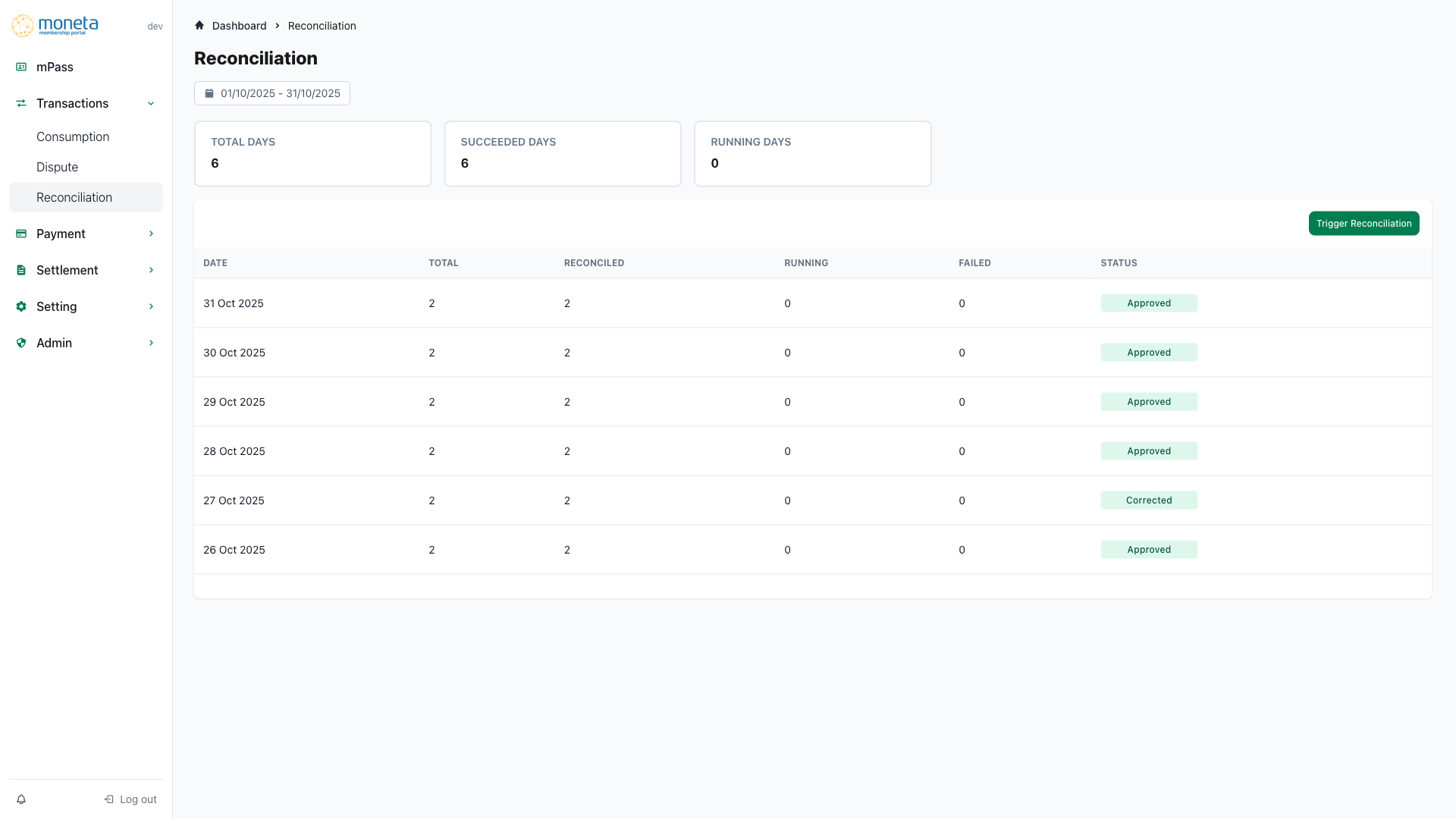
Monthly View Features
- Date List: List of all days in the month with reconciliation status (e.g., Approved, Running, Failed)
- Navigation: Click on a date to view the daily summary for that day
- Breadcrumb: Dashboard > Daily Reconciliation
- Date Selection: Dropdown or link to select different months
This view helps identify patterns or issues across the month, such as multiple failed days.
Daily Reconciliation Dashboard
Using October 30, 2025 as an example (which has actual data), the dashboard displays important metrics for the selected date:
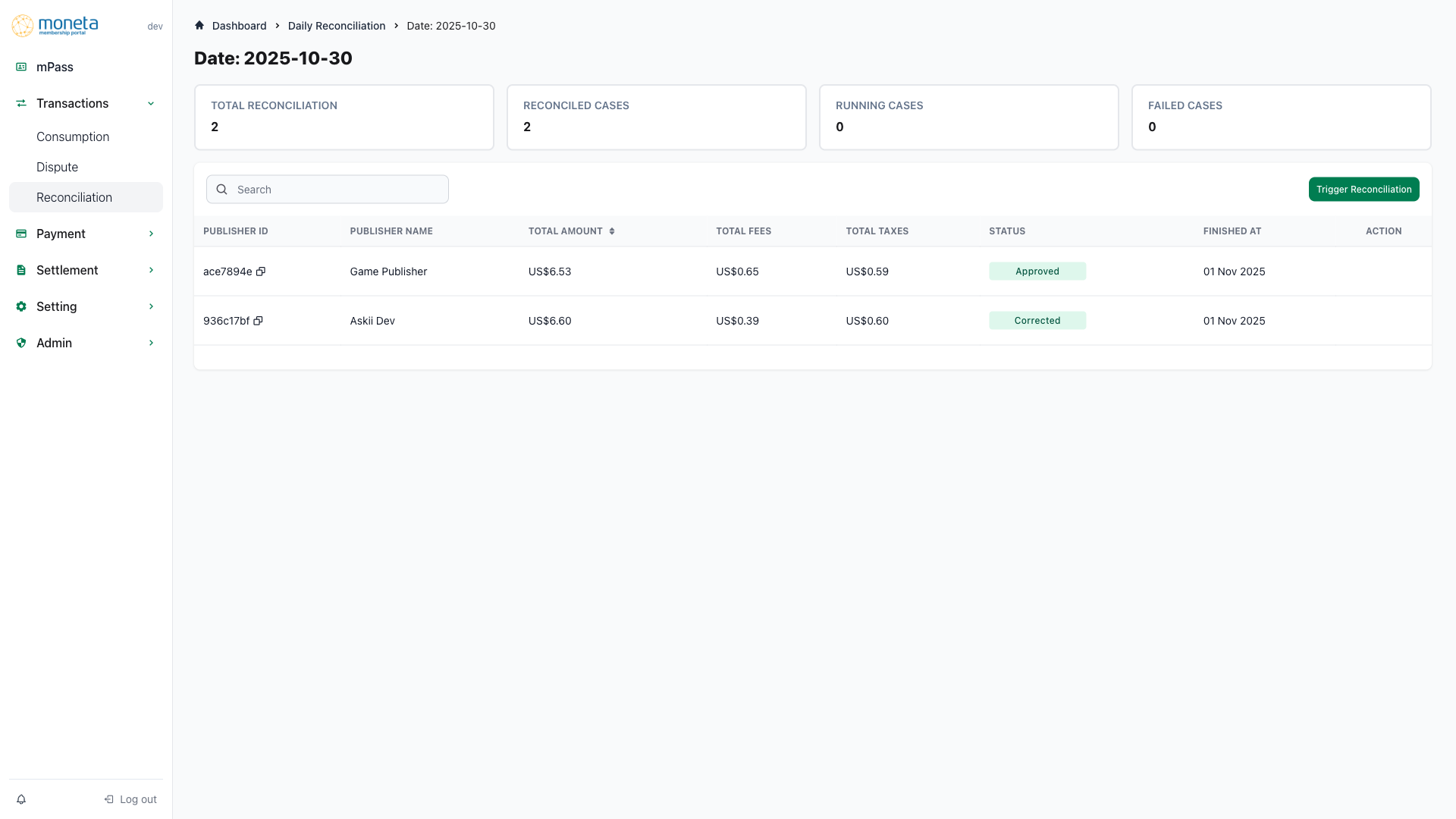
Key Metrics
The dashboard displays important metrics for the selected date:
- Total Reconciliation: Total number of publisher batches for the day
- Reconciled Cases: Number of successfully reconciled batches
- Running Cases: Number of batches currently processing
- Failed Cases: Number of batches that failed reconciliation
Status Types
- Approved: Batch has been successfully reconciled
- Running: Batch is currently being processed
- Failed: Reconciliation process encountered an error
Navigation and Actions
- Breadcrumb navigation: Dashboard > Daily Reconciliation > October 30, 2025
- Search functionality to filter the list
- Trigger Reconciliation link to manually initiate the process for the day
Daily Summary View
Using October 30, 2025 as an example, the summary table provides a breakdown by publisher:
Publisher Breakdown
The summary table provides a breakdown by publisher:
- Publisher ID: Unique identifier with copy-to-clipboard functionality
- Publisher Name: Name of the service provider
- Total Amount: Aggregate transaction amount for the publisher
- Total Fees: Total fees associated with the transactions
- Total Taxes: Total taxes for the transactions
- Status: Current processing status (Approved, Running, Failed)
- Finished At: Timestamp of completion
- Action: Icon to view detailed batch information
Rows are clickable to access batch details. For October 30, this view shows publishers with actual transaction data, unlike empty days.
Batch Details
Using a batch from October 30, 2025 as an example, the batch details page shows summary metrics and transaction list.
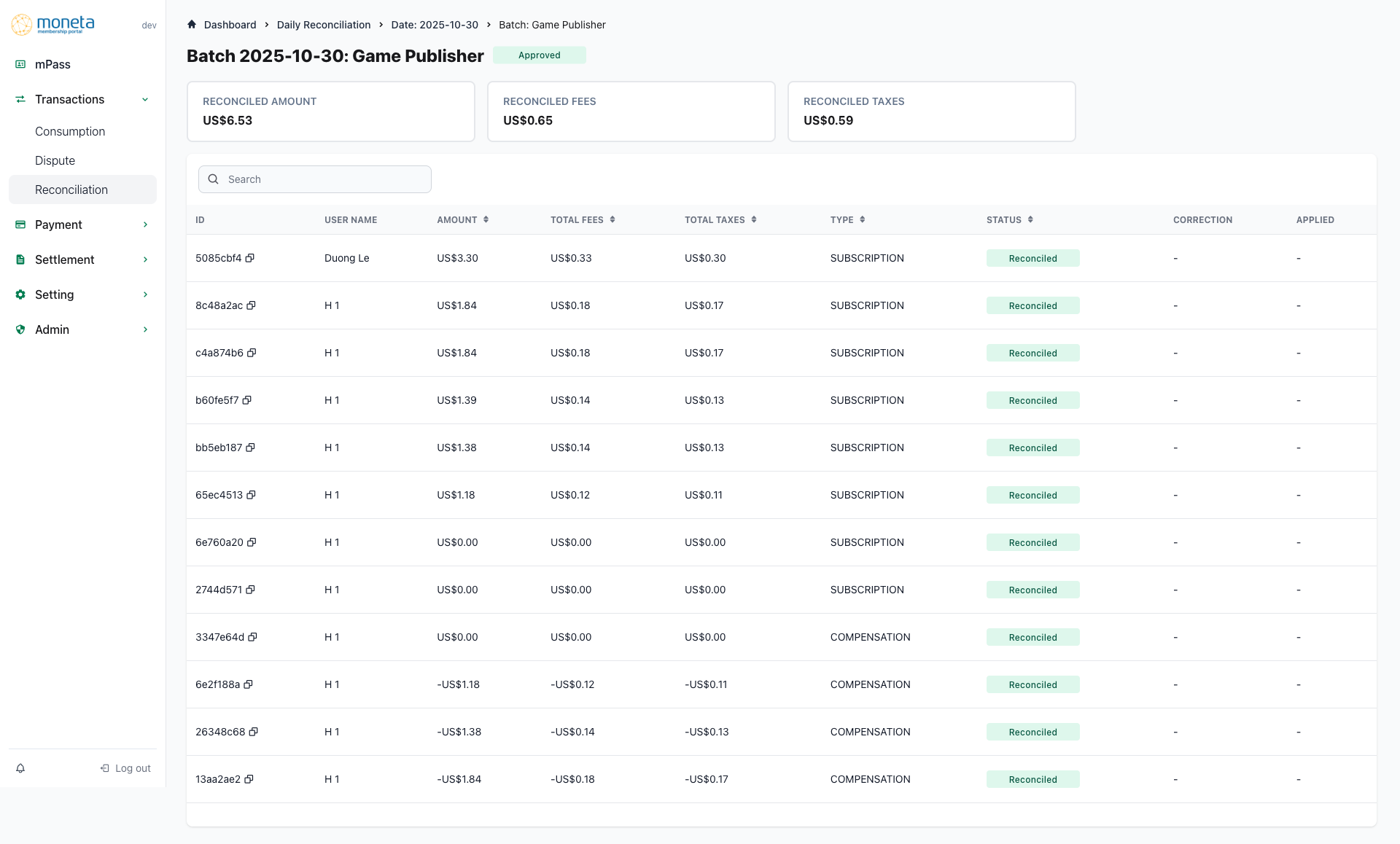
Overview Section
The batch details page shows summary metrics:
- Reconciled Amount: Total reconciled transaction amounts
- Reconciled Fees: Total reconciled fees
- Reconciled Taxes: Total reconciled taxes
Transaction Details
A detailed table of transactions within the batch, with sortable columns for:
- ID: Transaction identifier
- User Name: Name of the user involved
- Amount: Transaction amount
- Total Fees: Fees for the transaction
- Total Taxes: Taxes for the transaction
- Type: Type of the transaction
- Status: Individual transaction status
- Correction: Any applied corrections
- Applied: Confirmation if correction was applied
For days with data like October 30, this table will show actual transactions; for empty days, it may show "No records available".
Best Practices
-
Regular Monitoring
- Monitor the monthly overview to spot trends across days
- Check daily dashboards for days with failed or running cases, using October 30 as a good example of a completed day with data
-
Issue Resolution
- Immediately investigate failed reconciliations using batch details
- Use the trigger feature to retry failed processes when appropriate
-
Verification
- Cross-verify totals in batch details against expected values, especially on days with activity like October 30
- Track any discrepancies in fees or taxes for further analysis
Troubleshooting
Common Issues
-
Failed Reconciliations
- Data mismatches or integration errors
- External service unavailability
-
Empty Batch Records
- No transactions for the publisher on that date
- Reconciliation completed but with zero activity, as seen on some days in October
Resolution Steps
-
For failed cases:
- Review the transaction table and status column
- Check application logs for error details
- Trigger a re-run if the issue is transient
-
For persistent problems:
- Verify publisher configurations and integrations
- Consult system status and contact support if needed